01
Windows
Windows 10 / 11 · Intel & AMD 64-bit
MSI installer · x6461.6 MB
Get it for WindowsInstallation guideDownload PhotoCraft, the free, open-source image editor from ArtCraft. Find official download links for Windows, macOS and Linux, then get started with layers, masks and native PSD support.
Choose your operating system and architecture. Each direct download link below points to the original installer or release build on the official GitHub release page.
Windows 10 / 11 · Intel & AMD 64-bit
Apple silicon & Intel · Universal app
Linux desktop · x86_64
Release links checked: 2026-10-12. These PhotoCraft download links are pinned to version 0.7.0. Check the official release page for newer builds; file sizes are shown in MiB.
Layers, masks, type and color. A native workspace built around the way you create.
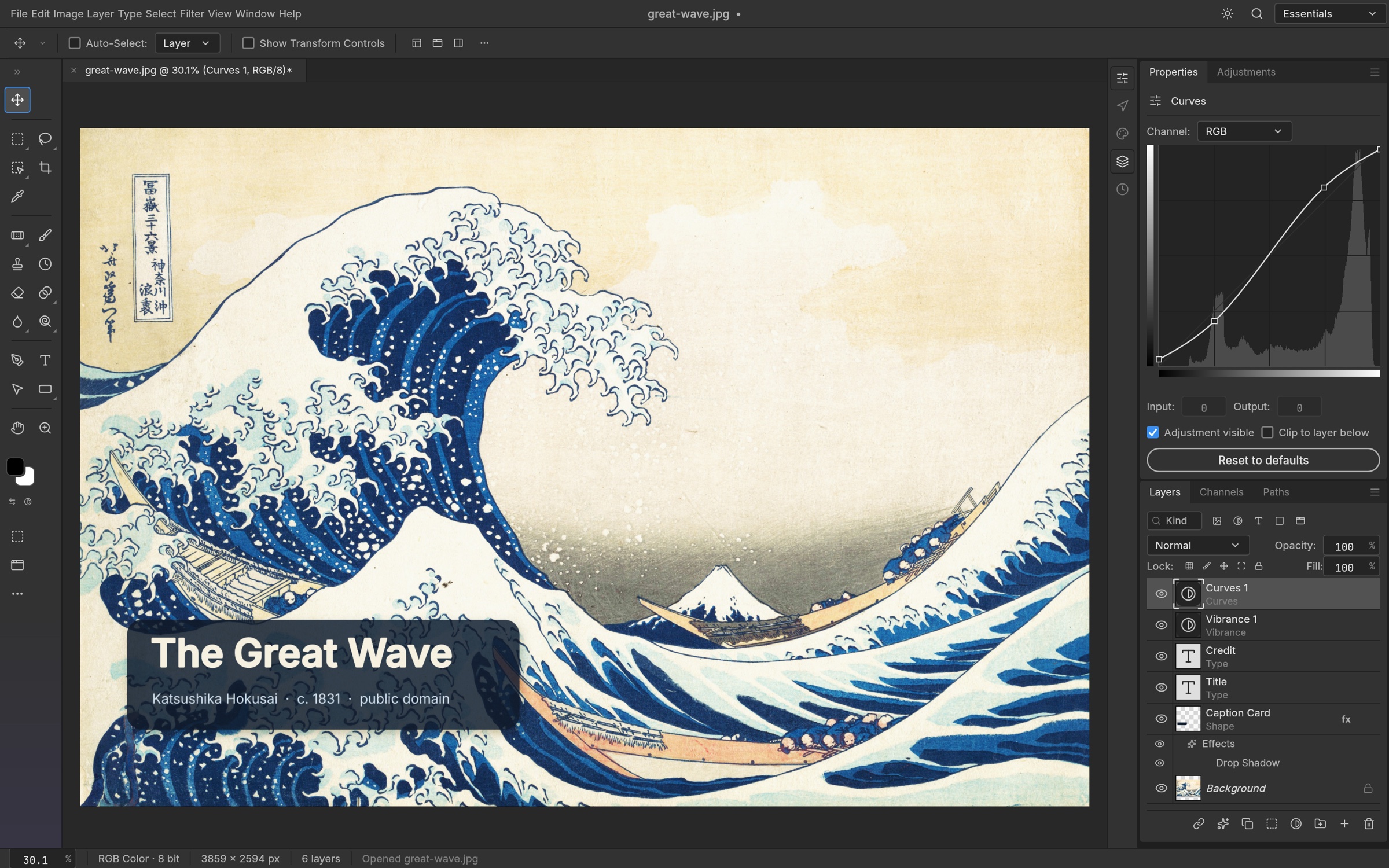
Build with groups, masks, adjustment layers and smart objects. Keep your edits separate from the original image.
Open and save layered PSD and PSB documents. Test a copy of complex files before moving a whole workflow.
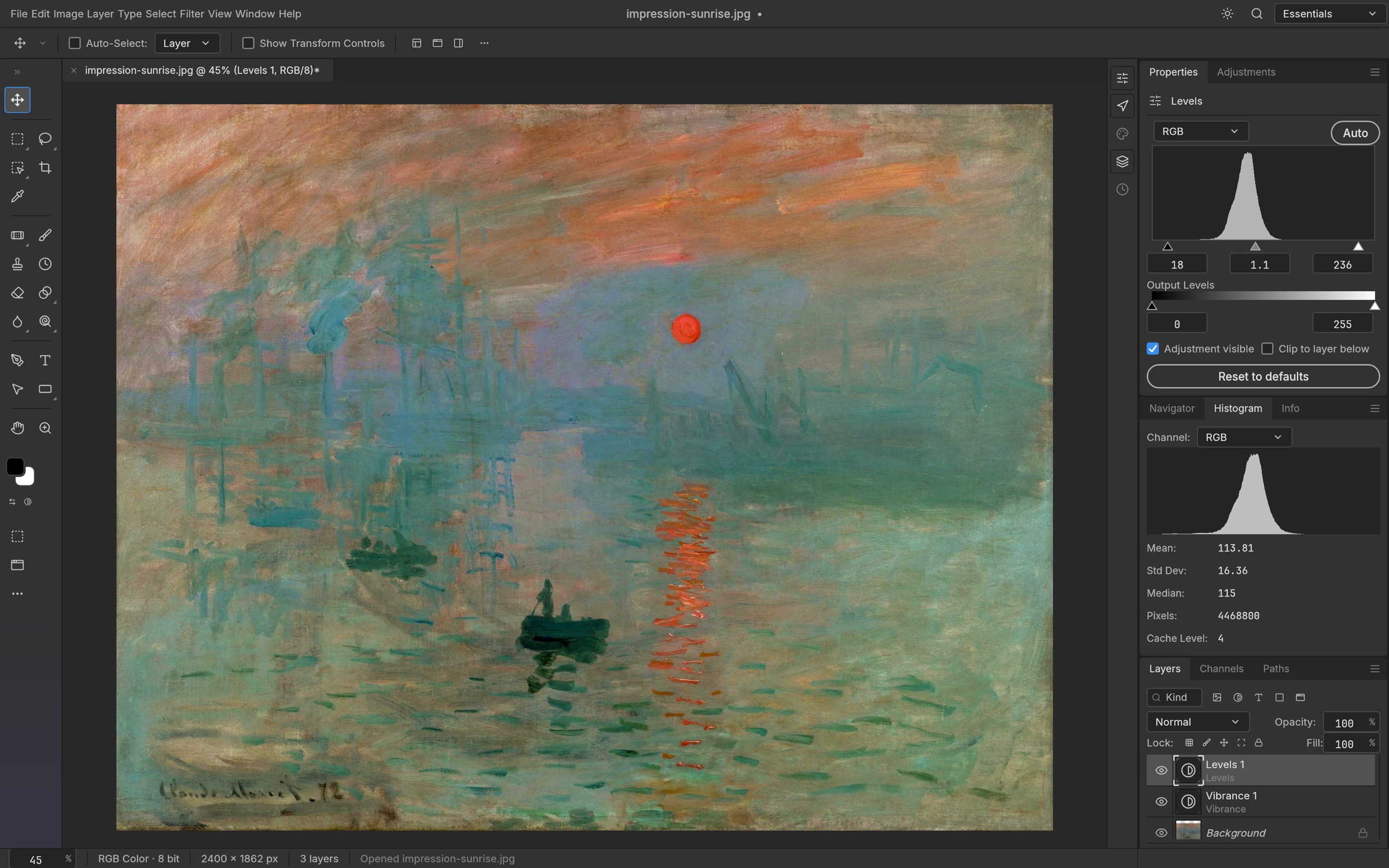
Shape the image with Curves, Levels and Vibrance. Work with ICC profiles and 8, 16 or 32-bit documents.
Written in Rust, with a GPU canvas and local editing. Available for all three major desktop platforms.
01 — The toolbarSelect, crop, paint and add text from the left side.
02 — The canvasYour document lives in the center. Zoom in for details.
03 — The panelsManage layers and adjust properties on the right.
Use the official download for your system, then follow these three steps to install PhotoCraft and open your first image.
Use the Windows download link to get the x64 MSI installer for most Intel and AMD PCs. On a Snapdragon PC, choose the ARM64 release build under other architectures.
Get the official fileDouble-click the .msi file and follow the setup prompts. Prefer no installation? Unzip the matching portable ZIP instead.
Launch PhotoCraft from the Start menu. Use File → Open to choose an image or a copy of your PSD document.
Good to know. If Windows shows a security warning, confirm the file came from storytold/photocraft and check its signature before continuing.
Open an image, duplicate its layer, then try a Curves adjustment. Save a new PSD to keep layers editable; export a PNG or JPEG to share.
Explore the docsA promising open-source alternative. Know what you get, and where it is still growing.
| What matters | PhotoCraftFREE & OPEN SOURCE | Adobe Photoshop |
|---|---|---|
| Cost & license | Free · MIT or Apache-2.0 | Paid subscription · proprietary |
| Desktop platforms | Windows, macOS & Linux | Windows & macOS |
| Layered PSD files | Read & write · compatibility varies | Native format & full editing workflow |
| Layers, masks & adjustments | Supported · test your workflow | Established professional toolset |
| Generative AI | A current development gap | Generative Fill & Firefly features |
| Plug-in compatibility | Limited · Photoshop parity not complete | Established plug-in ecosystem |
| Best fit today | Exploring, learning & testing · early alpha | Production & professional daily work |
A little context to help you choose your next image editor.
Visit the official projectYes. The app is open source under MIT or Apache-2.0, with no subscription. Bundled assets have their own licenses; check the project’s attribution file for details.
PhotoCraft reads and writes layered PSD and PSB files. Complex documents can differ after re-saving, and files are not byte-identical. Keep your original and test a copy first.
It is still early alpha. The team explicitly says it is not yet a replacement for daily professional Photoshop work. Try small projects first, especially if you rely on plug-ins, typography or generative tools.
The standalone editor works locally and offline without an account. You need an internet connection to download the app and obtain updates.
Follow the latest official release link in the download section to check for a newer installer or release build. This guide lists version 0.7.0, so use that release page to confirm the version before downloading. ArtCraft also offers a launcher for installs and updates on the official PhotoCraft product page.
This is an independent download and getting-started guide. PhotoCraft is made by ArtCraft. We link to the official storytold/photocraft releases and are not affiliated with ArtCraft or Adobe.
Get PhotoCraft. Open an image. See where it takes you.